
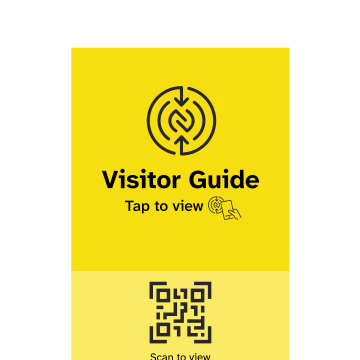
VisitorGuide connects a physical Counter Card with an online Guide Page.
How it works
Counter Card
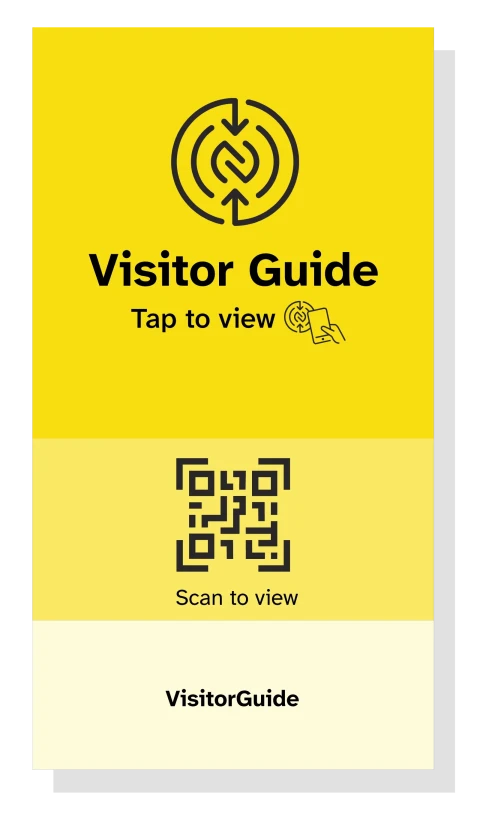
A small sign designed to be easily seen and placed where visitors need information.
Visitors tap the card with their smartphone or scan its QR code to open the Guide Page. The design, colours, branding, and message can be customised.
Guide Page
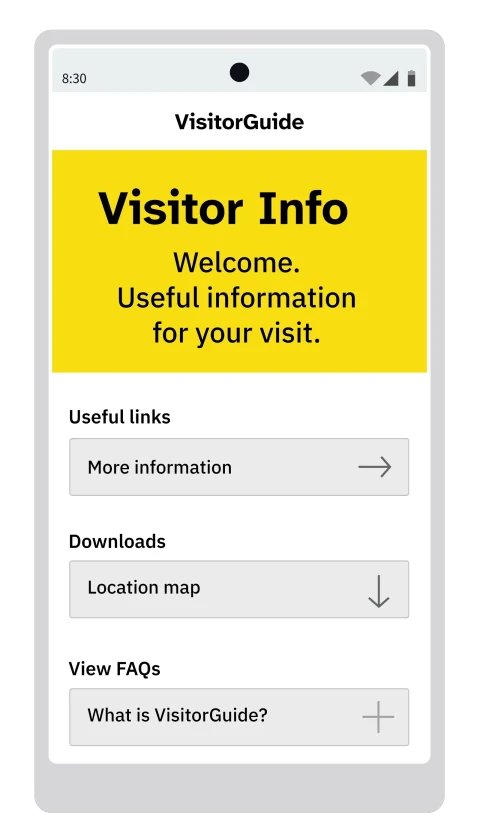
A mobile-friendly page designed to make useful information easy to find and understand.
Pages can include text, images, videos, links, downloads, frequently asked questions, and contact or feedback forms. The content can be tailored to each location, product, service, or visit.
How it helps
How it helps you
Useful information is often spread across signs, printed materials, websites, and verbal explanations.
VisitorGuide brings relevant information together in one accessible place, helping answer common questions and reducing the need to repeat the same explanations.
How it helps visitors
Visitors don't always know where to find the information they need.
VisitorGuide makes relevant information easy to access when and where it's needed, without having to search through multiple websites, signs, or printed materials.
Examples
VisitorGuide can be adapted to different places and situations.

Shop Guide
An example of how a Guide Page can help a coffee shop welcome visitors and share useful information about its services.
View Example
Booth Guide
An example of how a Guide Page can help an engineering company introduce its exhibition booth and share information with visitors.
View Example
Product Guide
An example of how a Guide Page can help a semiconductor manufacturer explain its products and share useful information with customers.
View Example
Visit Guide
An example of how a Guide Page can help a clinic welcome international visitors and explain how to access and use its services.
View ExampleWhere it's used
VisitorGuide is currently used at exhibitions and trade shows in Japan.
The same approach can also be useful in shops, cafés, clinics, museums, public facilities, and other places where visitors need clear, accessible information.


Frequently asked questions
Will it work with my visitors' phones?
Yes. Most modern smartphones can access VisitorGuide by tapping the Counter Card or scanning its QR code.
No app or setup is required.
Can I use my existing website content?
Yes. You can link to your existing website or bring relevant information together on a Guide Page.
You can also use existing materials such as PDFs, brochures, and videos.
What information should be included?
The most useful information depends on the location and what visitors need to know.
A Guide Page can include instructions, explanations, frequently asked questions, links, downloads, images, and videos.
What does a Counter Card look like?
The Counter Card is a small sign that stands on a counter or other suitable surface.
It measures 13 cm high, 7 cm wide, and approximately 2 mm thick. Each card comes with a stand featuring an adjustable clip and magnetic base.

Can I customise it?
Yes. Counter Cards and Guide Pages can be customised to suit your needs, including branding, colours, messages, content, and links.
Can Counter Cards and Guide Pages be in English and Japanese?
Yes. Counter Cards can be designed in English or Japanese, and Guide Pages can be provided in both languages.
Visitors can switch between language versions using the language navigation at the top of the page.
How can I update my Guide Page?
If information changes, simply contact me and I can update your Guide Page for you.
Is VisitorGuide available outside Tokyo?
VisitorGuide is currently available in the Tokyo area.
Before creating a Guide Page, I prefer to visit the location and understand the visitor experience and the information visitors need.
How much does VisitorGuide cost?
Counter Cards cost ¥3,000 each, including customisation, a stand, and delivery.
Guide Page pricing depends on the amount of content and work involved. Pages can be created for short-term or long-term use.
If you're interested, please get in touch using the form below.
About VisitorGuide
VisitorGuide was created by Wayne, a New Zealander who has lived and worked in Japan for over 25 years.
My work has included exhibitions and events, marketing, digital projects, retail communications, and visitor experiences. Much of it has involved helping people find and understand information more easily.
VisitorGuide grew from a simple observation: useful information isn't always easy for visitors to find or understand.
When creating a Guide Page, I prefer to visit the location and experience it firsthand. This helps me understand what information visitors need and how to present it clearly.
You can learn a little more about the work I do at wb3.jp.
If you'd like to know more about VisitorGuide, please use the form below or email me at wayne@visitorguide.jp.
Your information will only be used to respond to your enquiry. It will not be shared or used for any other purpose.